Skip to content
Menu

Articles

UiPath - Excel vs Workbook activities

When working with Excel in UiPath, you can either use the Excel or Workbook Activities. Chose the one that suit your needs, here are the pros and cons:…

Anders Jensen Automation & AI Instructor

When working with Excel in UiPath, you can either use the Excel or Workbook Activities. Chose the one that suit your needs, here are the pros and cons:

  • Excel Activities
    • Excel needs to be installed
    • Work with graphs and diagrams
    • Read and write cell colors
    • Use macros
    • Can't open password protected Excel files
  • Workbook Activities
    • Excel doesn't need to be installed
    • Performance (quicker than Excel activities)
    • Can't work with graphs and diagrams
    • Can't read and write cell colors
    • Can't use macros

Long story short: Chose Workbook activities unless you need to work with graphs, diagrams, macros or cell coloring.
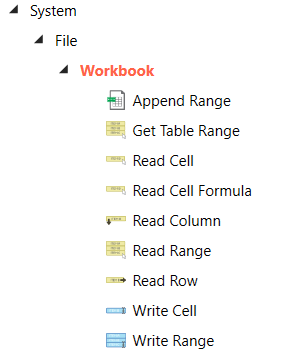
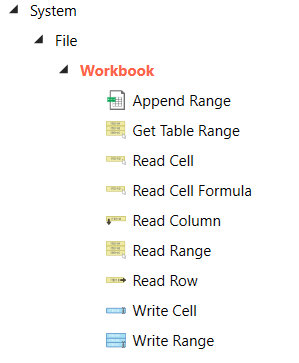
Fig. 1: The Workbook activities in UiPath

More articles

  • How to Extract Data With RegEx in UiPath

    Regular Expressions, or RegEx, is a sequence of characters that defines a search pattern. As a UiPath RPA Developer, we use RegEx to extract data out of,…

    Read more →
  • How to Type Into Applications/Web with UiPath

    Learn everything about the Type Into activity in UiPath: simulate keystrokes, send window messages, handle special keys, and pick the right input method.

    Read more →
  • UiPath Orchestrator - Complete Guide [2021]

    Complete UiPath Orchestrator guide: connect your robot, publish packages, create processes, run jobs, schedule triggers, and manage queues and assets.

    Read more →