Many organizations disabled agents in Microsoft 365 Copilot when the feature arrived. That was a sensible precaution: You don't turn on something you can't yet oversee or control. But the premises have changed since then. Microsoft's governance tools have matured considerably, and the business side has discovered what agents can do. If you are now facing the decision to reopen, here are the facts: What an agent actually is, what it can access, what the real risks are, and which knobs you have to turn.
What is an agent in Microsoft 365 Copilot?
The type of agent your users meet in Copilot is called a declarative agent. Microsoft's own definition is "customized versions of Microsoft 365 Copilot": A tailored version of the Copilot you already have, with three building blocks on top.
- Instructions: What the agent should be an expert in, and how it should respond.
- Knowledge: Which sources it may draw on, such as selected SharePoint sites or uploaded files.
- Actions (optional): Integrations that let the agent look things up in or write to other systems.
If you know custom GPTs from ChatGPT, it is the same idea. A declarative agent runs on exactly the same orchestrator, language models, and AI services that power Microsoft 365 Copilot itself, and it inherits all of Copilot's data protections. It is not a new system with its own access to your data. It is Copilot with a focused assignment.
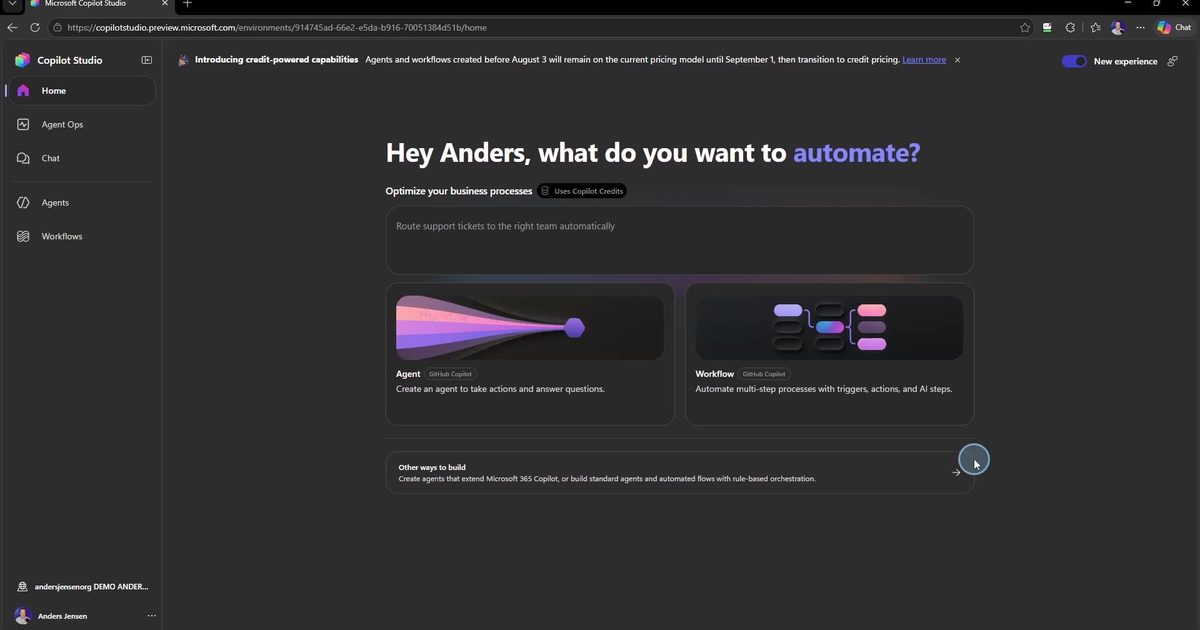
The word "agent" suggests software that acts on its own. That distinction is worth getting right: Autonomous agents that are triggered by events and run without a human at the keyboard are a different category, primarily built in Copilot Studio and requiring their own governance. In my experience, that mix-up is a big part of why agents were disabled in so many organizations.
What can an agent access?
The short answer: The same as the user, and nothing more.
Microsoft 365 Copilot only surfaces organizational data that the individual user has at least view permissions to, and agents are subject to the same model. An agent cannot see a SharePoint site, a mailbox, or a Teams channel the user cannot open themselves. Open Microsoft's own Researcher agent in the admin center, for example, and it says in plain text that it has no permissions in Microsoft Entra ID at all. It has no independent identity with its own access, it borrows the user's.
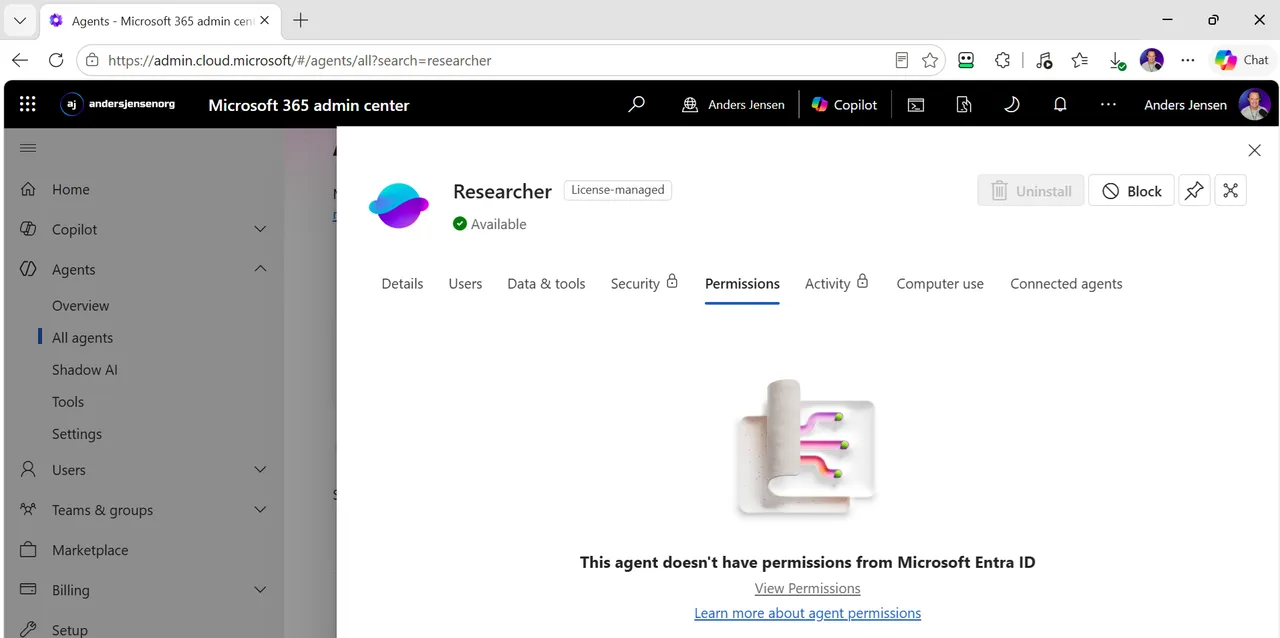
On top of that comes the foundation agents inherit from Copilot:
- No training on your data: Prompts, responses, and data from Microsoft Graph are not used to train the language models.
- Purview and audit: Interactions with Copilot and agents are stored, can be searched with Content search, and are covered by retention policies in Microsoft Purview.
- Sensitivity labels are honored: If content is encrypted via Microsoft Purview Information Protection, Copilot honors the user's usage rights, and encryption can be configured to exclude programmatic access, keeping the agent out.
- Approval with open cards: Before you approve an agent, the admin center shows you exactly which data sources, connectors, and tools it uses, along with the publisher's terms of use and privacy statement.
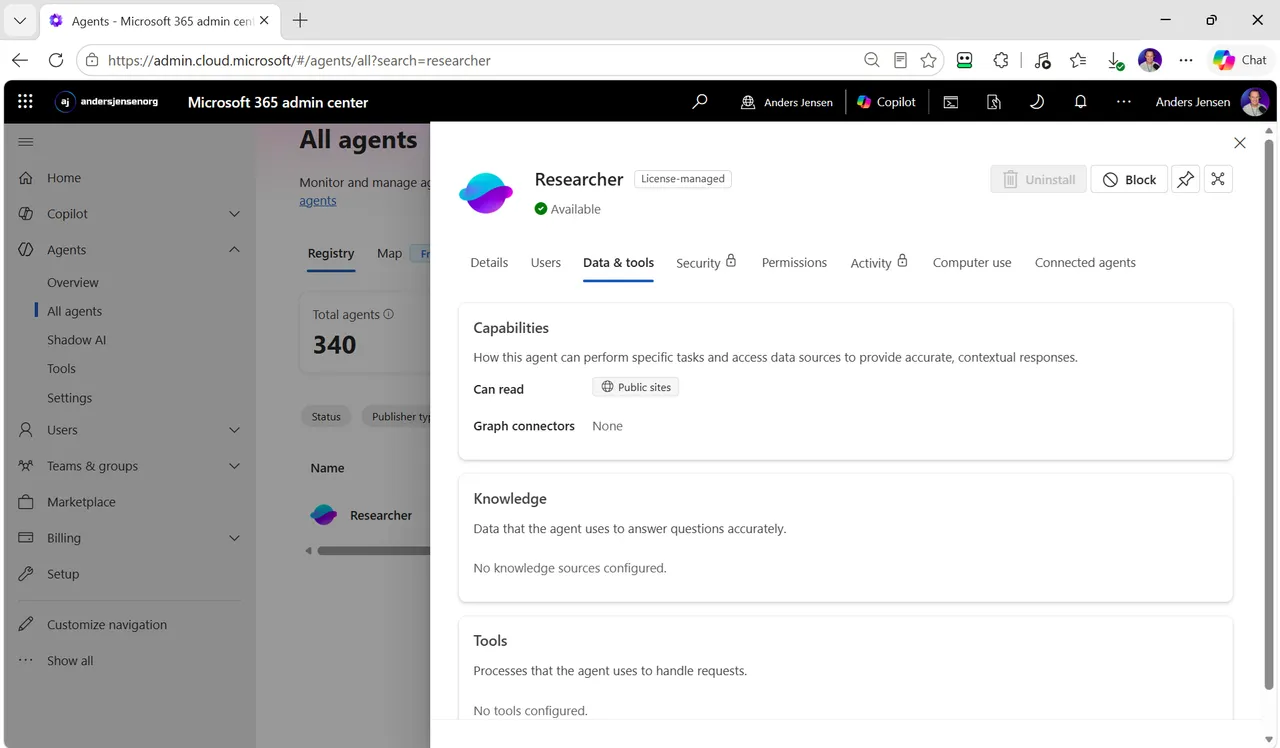
The real risks
If the decision is going to be fact-based, the risks belong in it. They exist, but they live in different places than the word "agent" suggests.
Oversharing is risk number one. Agents don't leak data, but they activate existing permissions at high speed. If users have access to more than their role requires, for example through old SharePoint sites with broad access, Copilot and agents make it visible. That is a data hygiene problem, not an agent problem, but it feels the same when it hits. Microsoft's own recommendation is to use Microsoft Purview and SharePoint Advanced Management, both included in the Copilot license, to find and close oversharing before rolling out broadly.
Third-party agents are a decision of their own. Data processed by non-Microsoft services is not covered by your Microsoft agreements. Microsoft itself recommends reading the publisher's terms before allowing access. That is why external agents can and should be evaluated one by one.
Agent sprawl. Users can build agents themselves with Agent Builder and SharePoint. Without guardrails you end up with ownerless agents when employees change jobs. Microsoft has just added rules in the admin center that find ownerless agents and transfer them to the previous owner's manager. The problem is real enough that Microsoft built a tool against it.
Costs. Agents that access shared tenant data via Copilot Chat are billed based on metered consumption. They are off by default, precisely so the bill doesn't surprise anyone.
What can you control as an admin?
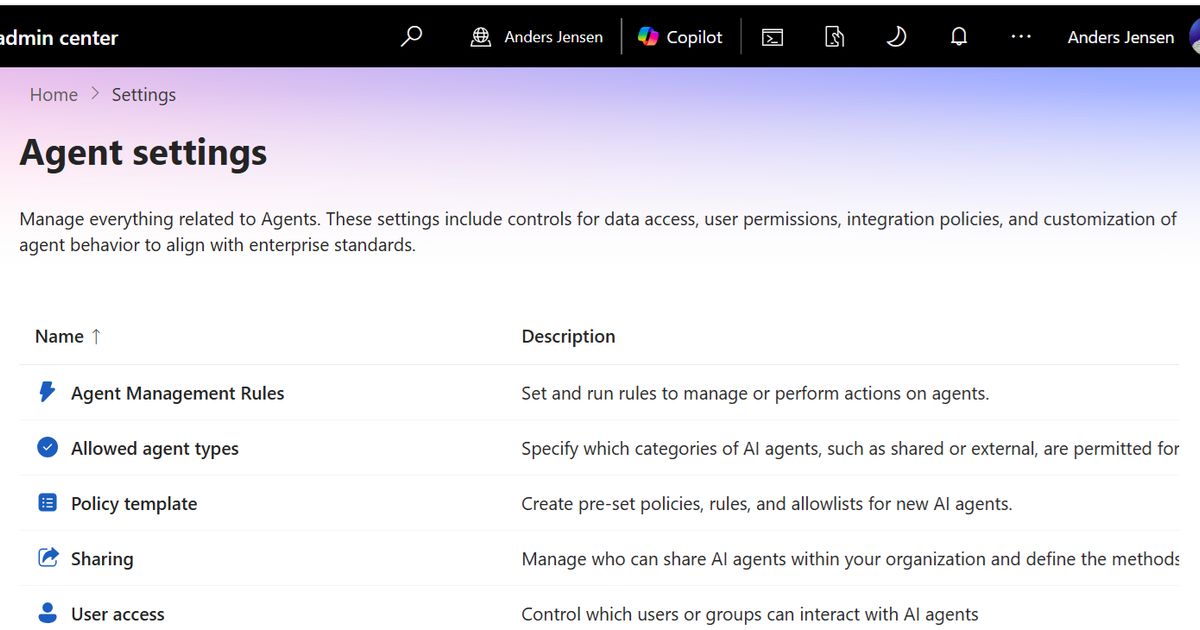
When most organizations made the decision to disable agents, the choice was effectively all or nothing. That is no longer the case. And finer tools are needed: The Agent Registry in our own tenant shows 340 agents at the time of writing, the vast majority from Microsoft and partners. You don't govern an ecosystem of that size sensibly with one switch. Agents now have their own item in the left navigation of the Microsoft 365 admin center, and under Agents and Settings you will find:
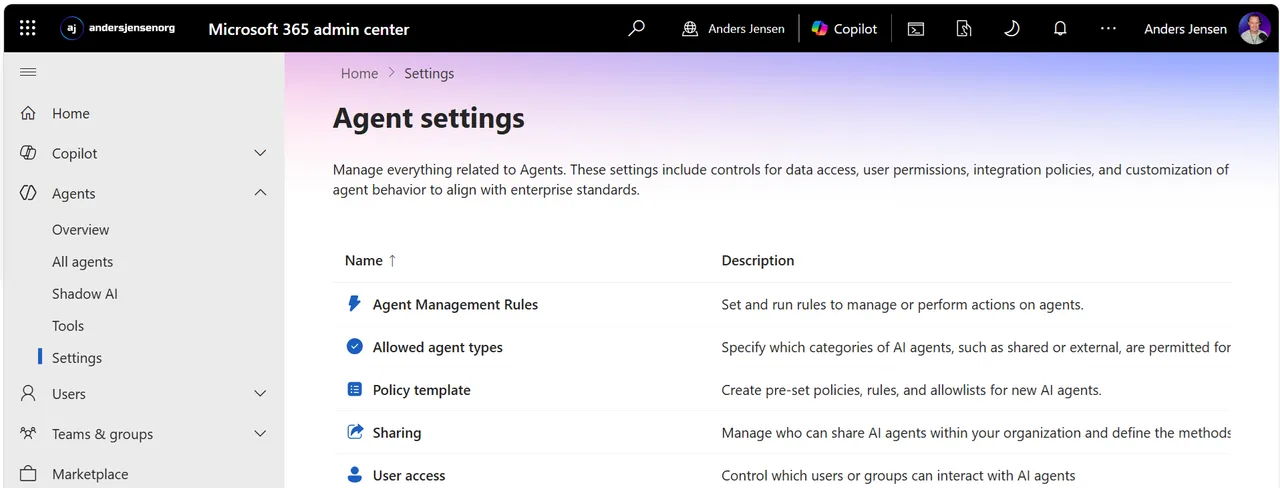
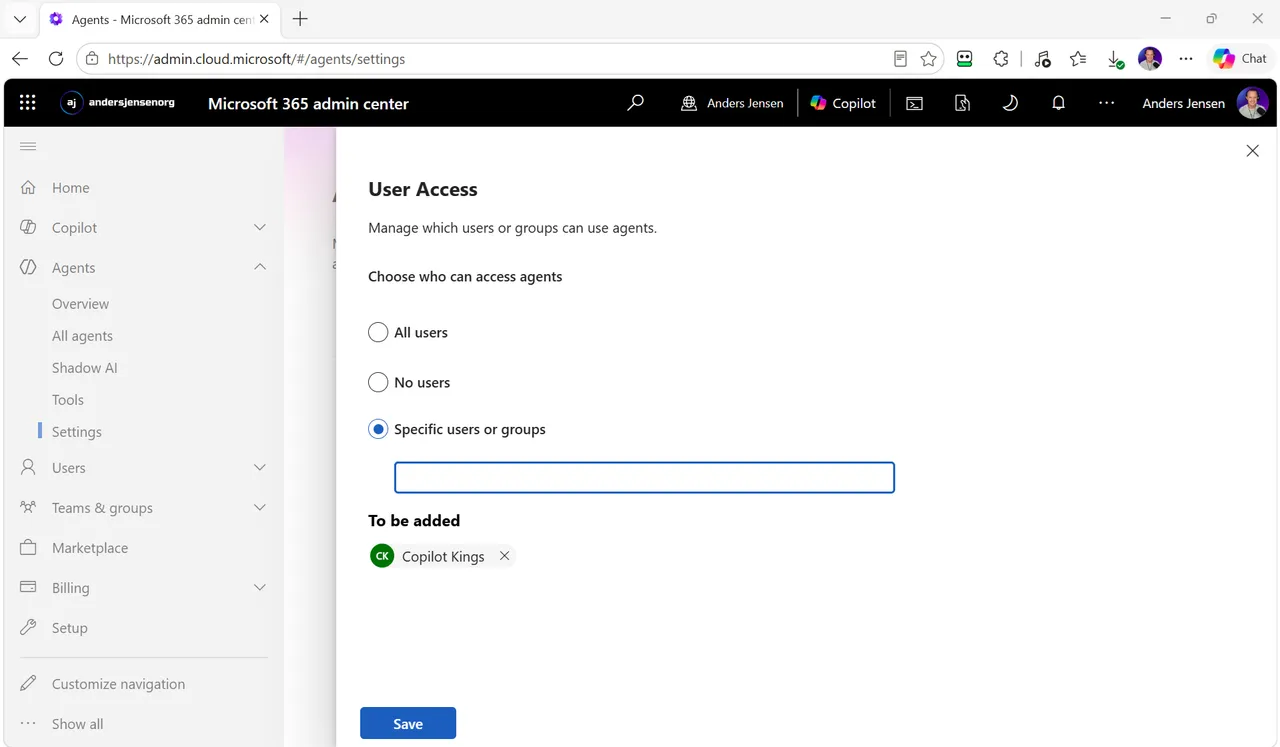
- User access: All users, no users, or selected users and groups. You can start with a pilot group.
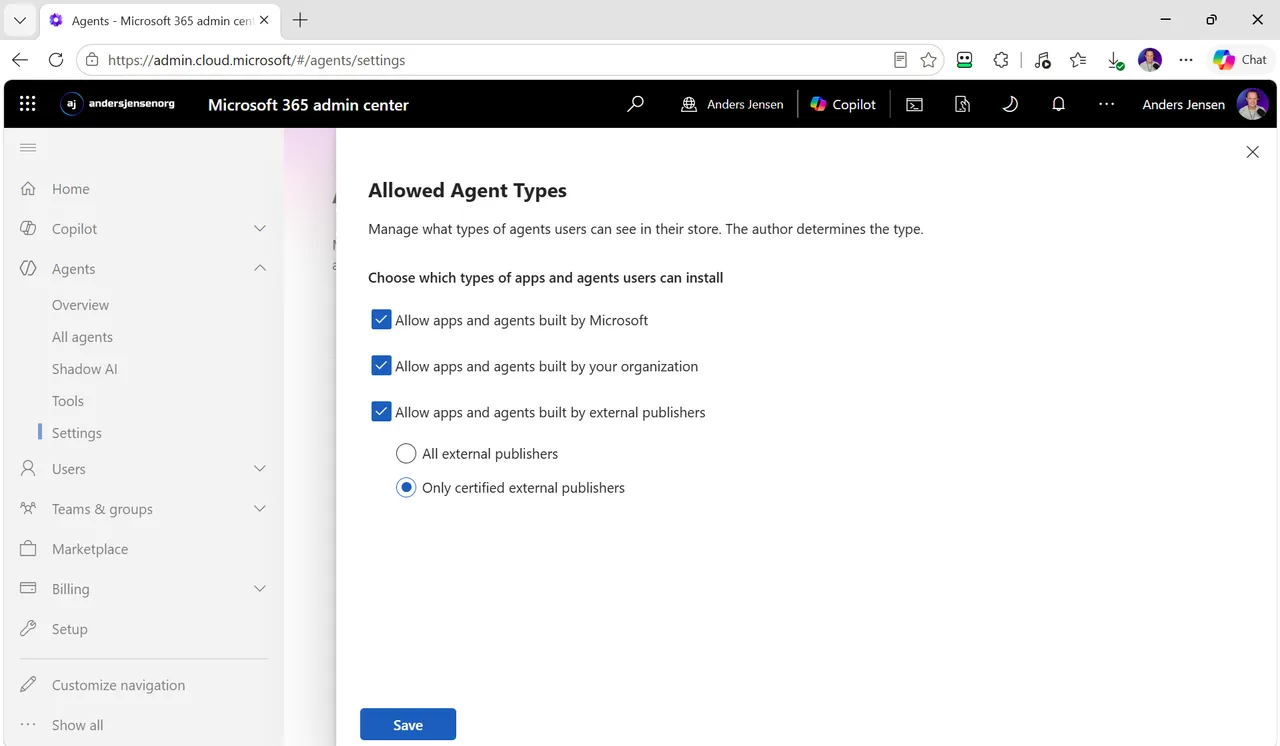
- Allowed agent types: Allow agents from Microsoft, from your own organization, and from external publishers separately. And external is not all or nothing: You can choose to allow only certified external publishers.
- Per-agent control: Every single agent can be approved, blocked, or deployed to selected users, with full visibility into its data sources first.
- Sharing: Who may share their own agents, and with whom.
- Agent Management Rules and Policy template: Rules and templates that enforce your policies automatically, such as handling ownerless agents.
This is what it looks like when access is limited to a pilot group:
And here external agents are limited to certified publishers:
What does keeping agents disabled cost?
The decision has a price in the other direction too. Your most productive users find tools on their own, and then the AI usage moves to where you can't see it. Microsoft has given IT a tool against exactly that problem, and I have written about how it works in the article on Shadow AI in the Microsoft 365 admin center. The principle is the same here: Visibility and governance beat prohibition.
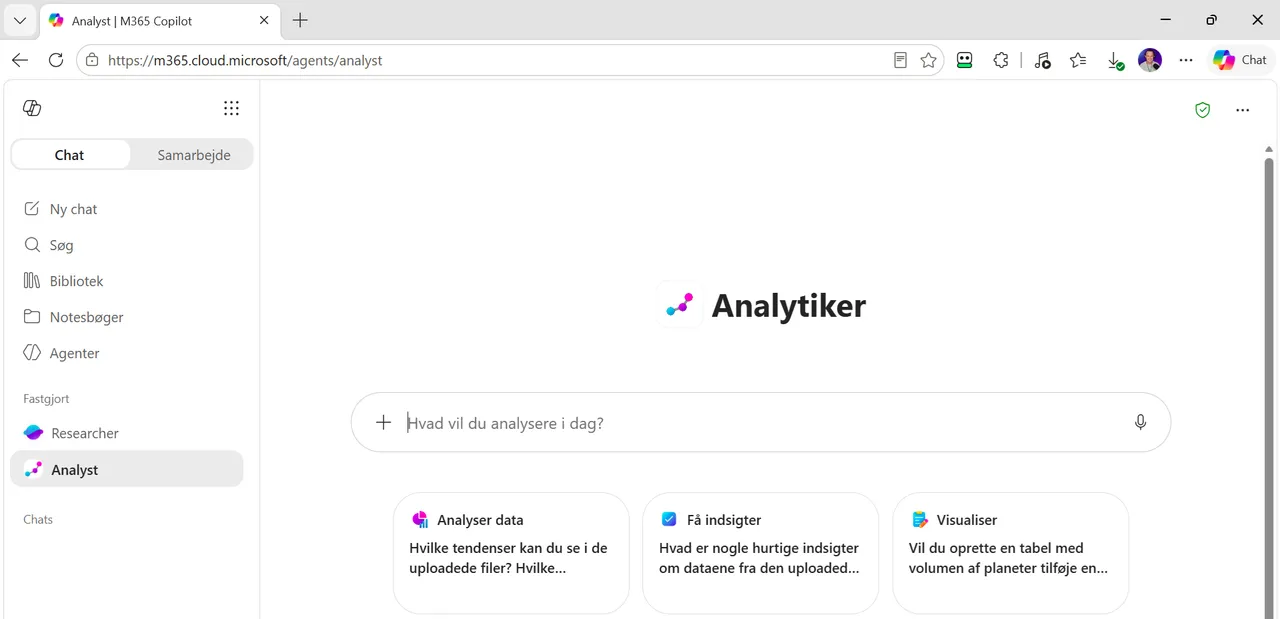
Note also a detail that has changed: Since December 2025, the built-in agents Researcher and Analyst are decoupled from the general agent setting. Licensed users can use them as tools in Copilot Chat even when agents are disabled; only their visibility in the left navigation follows the setting, and a block on the individual agent still applies. What your agent setting actually means for your users depends on when you last looked at it.
Our recommendation: Decide on facts, and write the decision down
So should agents be enabled? My answer is yes, gradually, if you do the groundwork. Concretely:
- Run an oversharing check with Purview and SharePoint Advanced Management before you open up. That is the risk that actually hurts.
- Start with Microsoft's and your own agents. Take external agents one by one, and read the publisher's terms.
- Open up for a pilot group via User access, and expand once you have seen the usage.
- Decide who may build and share agents before the first ownerless agent appears.
- Write down the decision and the reasoning. The next time someone asks why, the answer should not depend on who remembers.
And let me say it clearly: If your original decision was to disable agents, it was not wrong. It was made with the tools that existed at the time. The point is that the tools have changed, and then the decision deserves a revisit.
Frequently asked questions
Can an agent see data the user doesn't have access to?
No. Copilot only surfaces data the user has at least view permissions to, and agents are subject to the same permissions model.
Is our data used to train the AI models?
No. Prompts, responses, and data from Microsoft Graph are not used to train the underlying language models.
Is an agent the same as an autonomous AI acting on its own?
No. A declarative agent in Copilot only responds when a user talks to it. Autonomous agents triggered by events are a different category with their own governance, typically built in Copilot Studio.
Can we allow some agents and block others?
Yes. You can govern per agent type (Microsoft, your own organization, external publishers, including certified only), per individual agent, and per user or group. I have shown how to do it in practice, from the registry to blocking and scoping, step by step in the article How to Manage Agents in Microsoft 365 Copilot: Admin Guide.
Do agents cost extra?
Agents that access shared tenant data via Copilot Chat are billed based on metered consumption and are off by default. Agents used under a Microsoft 365 Copilot license are covered by the license. If you want to see what that kind of usage-based billing looks like in practice, with spending policies, limits, and alerts, I have walked through the setup step by step in the article Copilot Cowork: How to give access with a pilot group.
You can find Microsoft's official documentation here: Agents admin guide for Microsoft 365.
Microsoft keeps adjusting what agents in Copilot can and may do. I share those changes, and what I make of them, on my LinkedIn profile.