Course Materials
📂 Download Course Materials: BirthdaysExample.xlsx
Course

Articles
Complete Power Automate tutorial for beginners: Build your first cloud flows step by step with triggers, actions, conditions, and real-world examples.

Anders Jensen Automation & AI Instructor

Archive article, published in 2022. This content is preserved as a historical record and has not been updated for current product versions, prices, or terms.
📂 Download Course Materials: BirthdaysExample.xlsx
Hi, SUBSCRIBED to the channel, ordered the book. Wondering why is the web version of MPA and the Desktop version so different when it comes down to Actions? Also mostly due to Firewall restrictions the web based version is off limits as far as using Outlook and Emailing. Tried to build the Birthday Flow on the Desktop and nothing corresponded with the web app. So at a bit of a loss. Any must see go to courses to get up to speed rapid with Desktop PA? I'm working for an engineering company and need workflows to do repetitive tasks as reading Excel data columns (with Folder Names) to Loop through these and search for documents in each folders; sort them then merge the files into one PDF and name it with a naming convention also found in the Excel file. Is this possible?
Thanks for your comment!
We read every comment before it goes on the site. Yours is with us now and is typically approved within 24 hours.
Can't wait? Ask your question in our I Love Automation Discord and get a quick answer from us and the rest of the community.
Granola writes the summary, but it stays inside Granola. Build a flow that pulls the latest note through the API and posts it in Microsoft Teams.
Read more →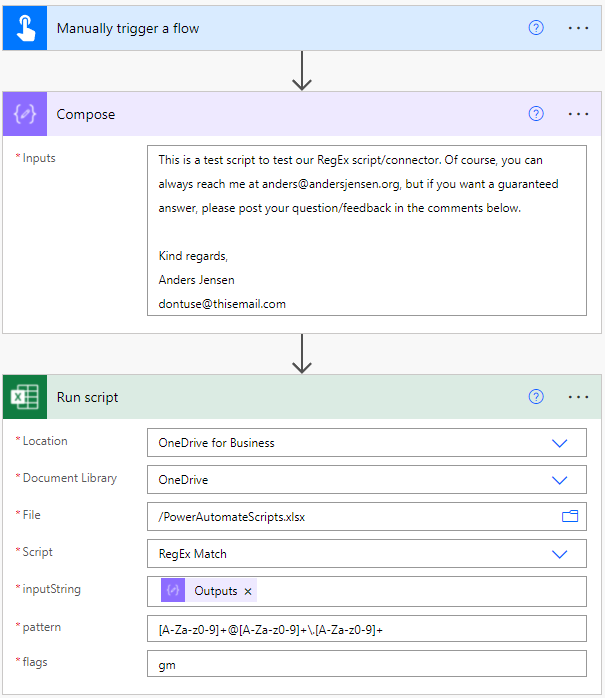
How to use Regular Expressions in Power Automate: build patterns, test them, and extract structured data from emails and documents in your cloud flows.
Read more →
Step by step: Build an HR agent in the new Copilot Studio with instructions, knowledge and a skill, test it in Preview, and publish it to Teams. With video.
Read more →