In this guide we build a complete agent in the new Copilot Studio from scratch: An HR agent that answers questions from an employee handbook and drafts leave requests as finished emails. We give it instructions, knowledge and a skill, test it in Preview, and publish it to Teams. No topics, no dialog trees.
The case is the agent type I get asked about most often in my training sessions: An internal handbook agent. The company here is called Nordfalk and is fictional, but the handbook is real enough, 25 pages of policy covering vacation, sick days, parental leave and a leave request procedure with eight required fields. The whole build is also recorded as a video, so you can follow every click.
Before you click: Two things from the first articles
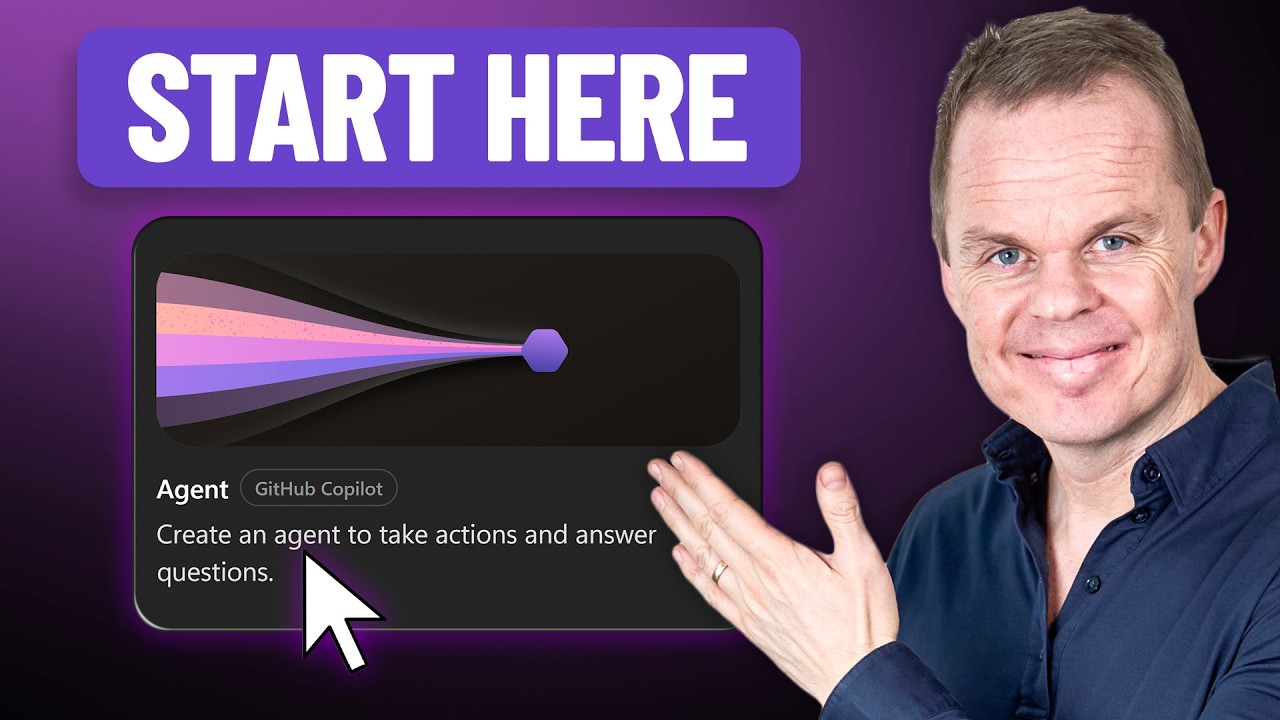
Two decisions are made the moment you click the Agent card, so they belong here. First, the harness choice is permanent: An agent built on the GitHub Copilot harness cannot be converted to standard, and vice versa. What a harness is, and what else is new, is covered in The New Copilot Studio Explained. Second, you pay while you build: Every test chat costs credits, before the agent is even published. The rates, the purchase options and a calculator are in the pricing guide.
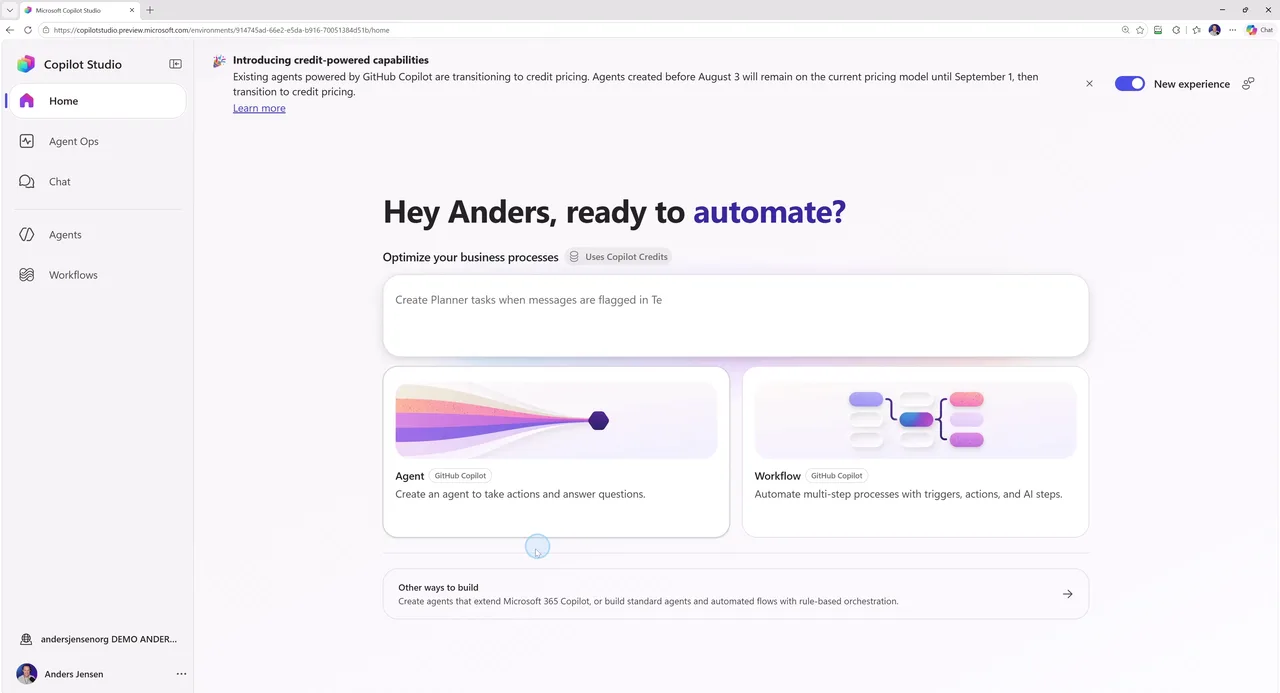
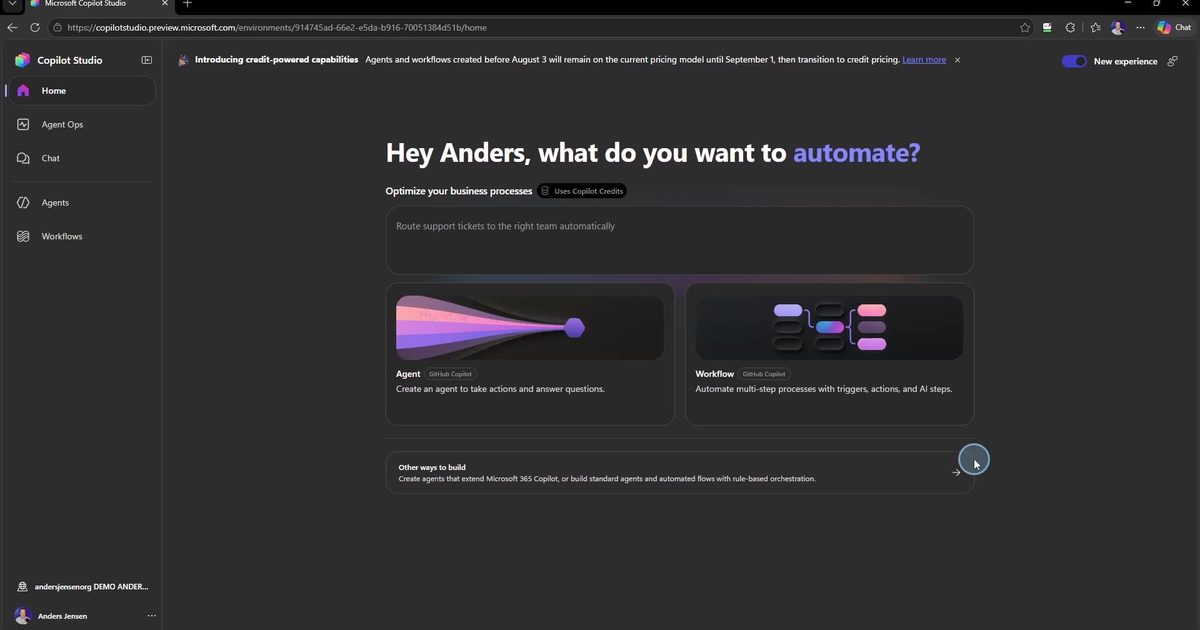
If you are on board with both, we click the Agent card on the home page.
Step 1: Name, icon and instructions
The first things the agent needs are a name and an icon. The icon feels like a detail, but it is what your colleagues see in Teams later, so spend ten seconds on it.
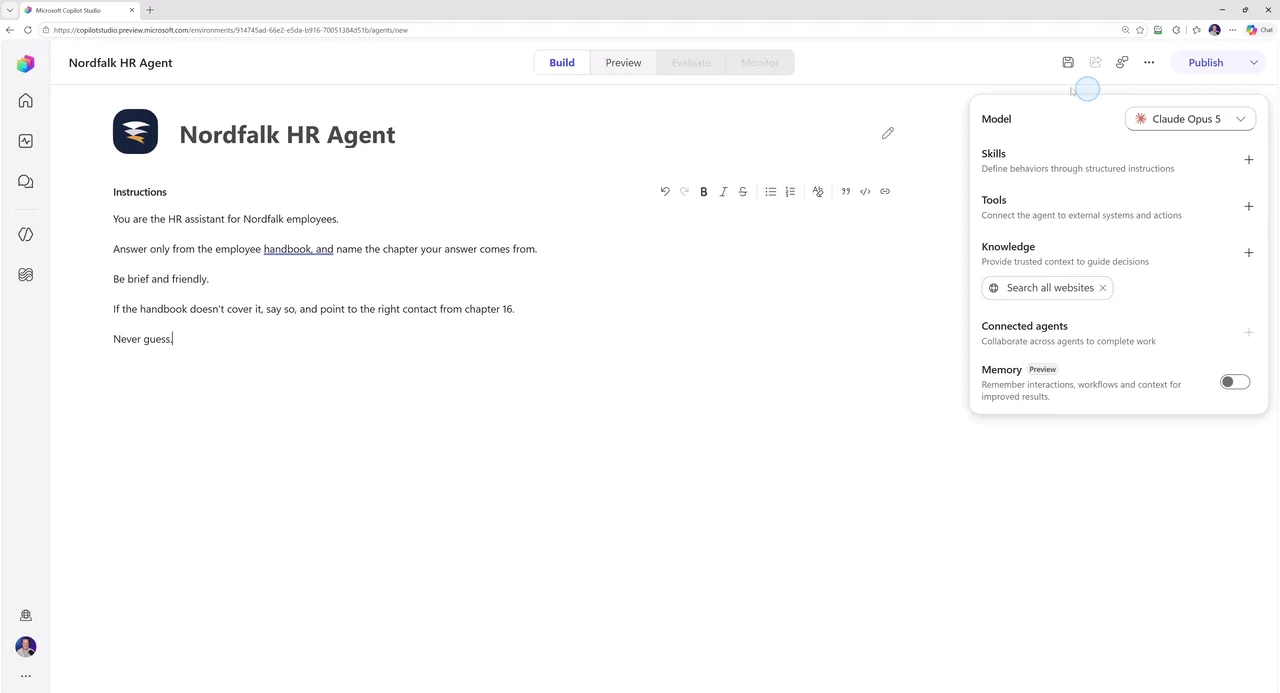
Then the most important field in the whole build: Instructions. Notice what Microsoft's own placeholder example asks for, namely role, scope, tone, and when the agent should ask questions. That is not filler, that is the recipe. Our HR agent got these instructions:
- You are the HR assistant for Nordfalk employees.
- Answer only from the employee handbook, and name the chapter your answer comes from.
- Be brief and friendly.
- If the handbook doesn't cover it, say so, and point to the right contact from chapter 16.
- Never guess.
Two of the lines do the heavy lifting. "Name the chapter" makes every answer verifiable: The agent has to state where its answer comes from. And "Never guess" turns out to be the difference between a useful HR agent and a dangerous one. We test that in a minute.
Step 2: Pick the model
In the right-hand panel sits something classic Copilot Studio never had: A model picker. You choose the brain yourself, from the GPT models to the Claude family, where Claude Opus 5 is the default at the time of writing. Remember the distinction from the first article: The model is the brain, the harness is everything around it. The model you can change later, the harness you cannot.
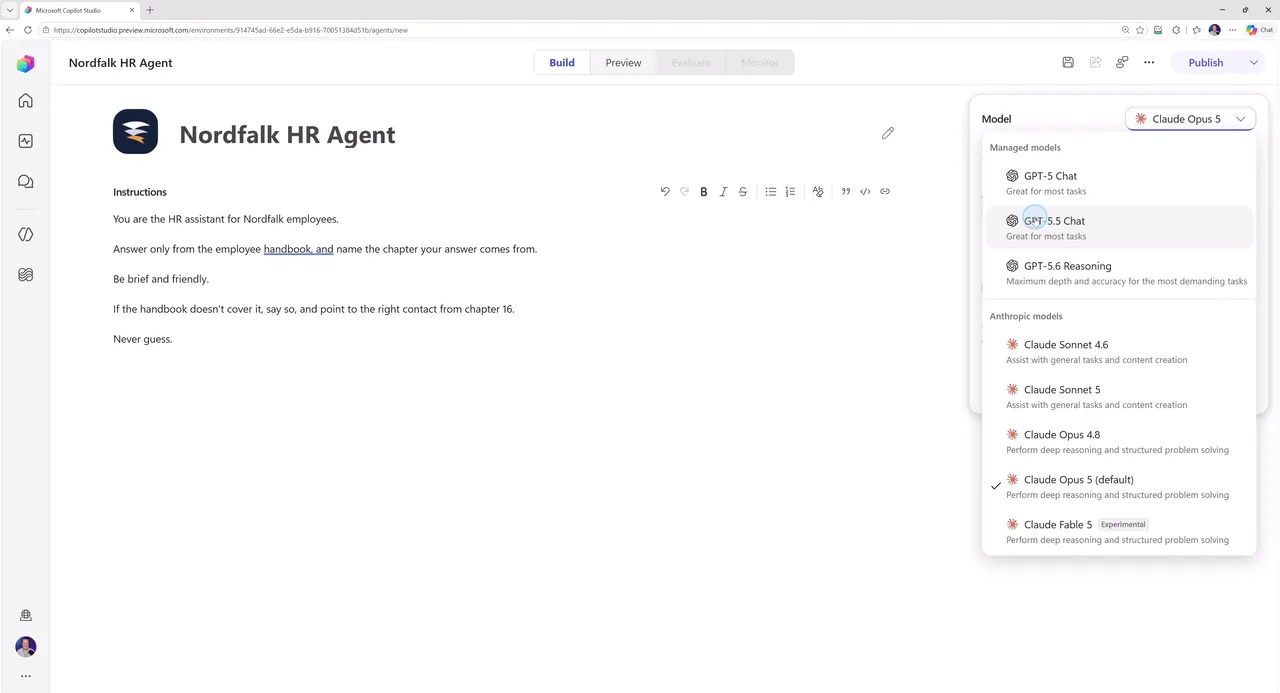
Pick one and move on. The models sit in different price tiers, but model choice is the pricing guide's territory, not this guide's.
Step 3: Knowledge, and the default you need to turn off
Right now the agent knows nothing about Nordfalk. Under Knowledge we upload the handbook as a single PDF, and while it indexes, here comes the most important single click of this guide.
Under Knowledge it says "Search all websites". It is on by default on a new agent, and it means: When the handbook does not have the answer, the agent searches the web. For an HR agent that is a source of errors, not a feature. I want it answering from our policy, not from a blog post about some other company's vacation rules. Click the X and remove it. It is the one default I change on almost every agent I build.
Step 4: Build a skill
If you are coming from classic Copilot Studio, this is where you need to adjust: No topics, no dialog trees. Instead you build skills. A skill is three things: A name, a description of when to use it, and instructions in plain language. The agent figures out the rest.
Our agent needs to draft the leave request from chapter 8 of the handbook, the one with the eight required fields that employees get wrong anyway. The skill is called draft-leave-request-emails and got these instructions:
- When an employee wants time off, draft the leave request email to leave@nordfalk.com.
- Follow chapter 8: Include all required fields.
- In appendix A you will find an example of the leave request email.
- Ask for any missing field. Do not invent values.
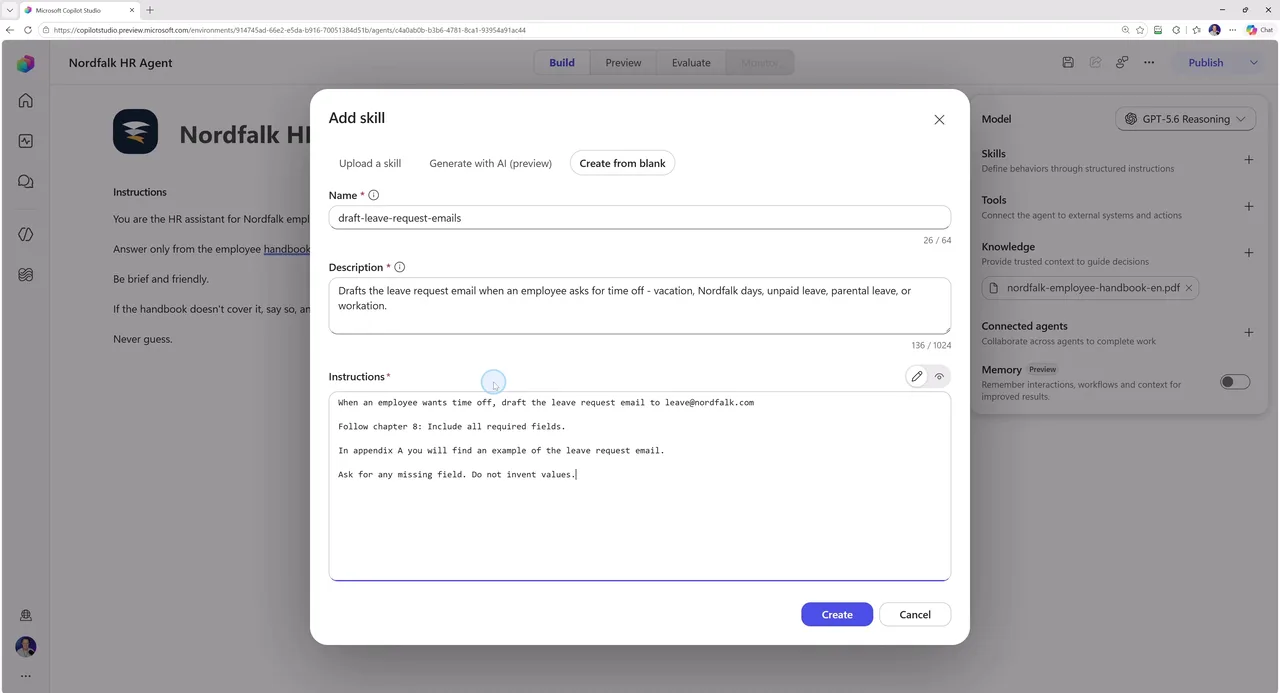
That last line is there because I have watched agents invent an employee ID with complete confidence. "Do not invent values" forces it to ask instead. Tools, Connected agents and Memory we skip on purpose: A first agent does not need them, and Tools, where you connect the agent to real systems, deserves its own video.
Step 5: Test in Preview
Open the Preview tab, and say it with me: This chat costs credits now, even though nothing is published. That is the deal on the new harness, so test with a plan. I ran three questions, each testing its own part of the build.
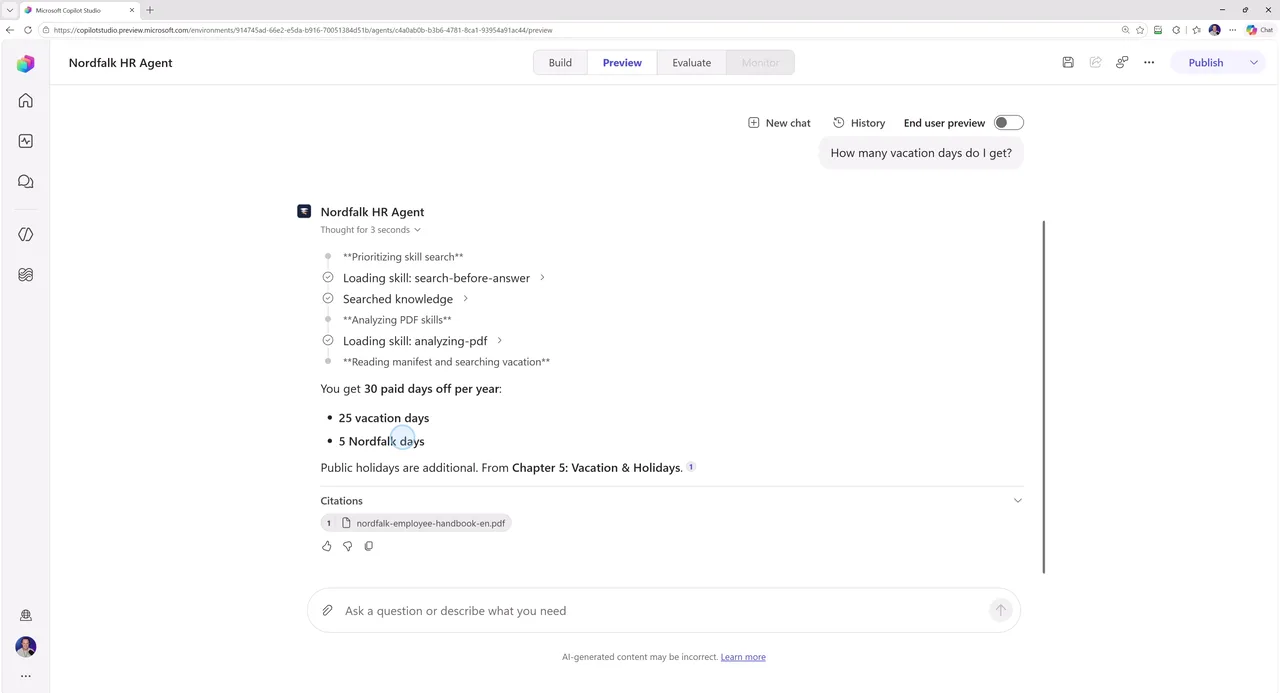
Test 1: Can it answer from the handbook? "How many vacation days do I get?" The answer: 30 paid days off per year, 25 vacation days plus 5 Nordfalk days, with a citation pointing to chapter 5. Look it up in the handbook yourself: It checks out. That is why the instructions demand the chapter reference, so you can verify every answer.
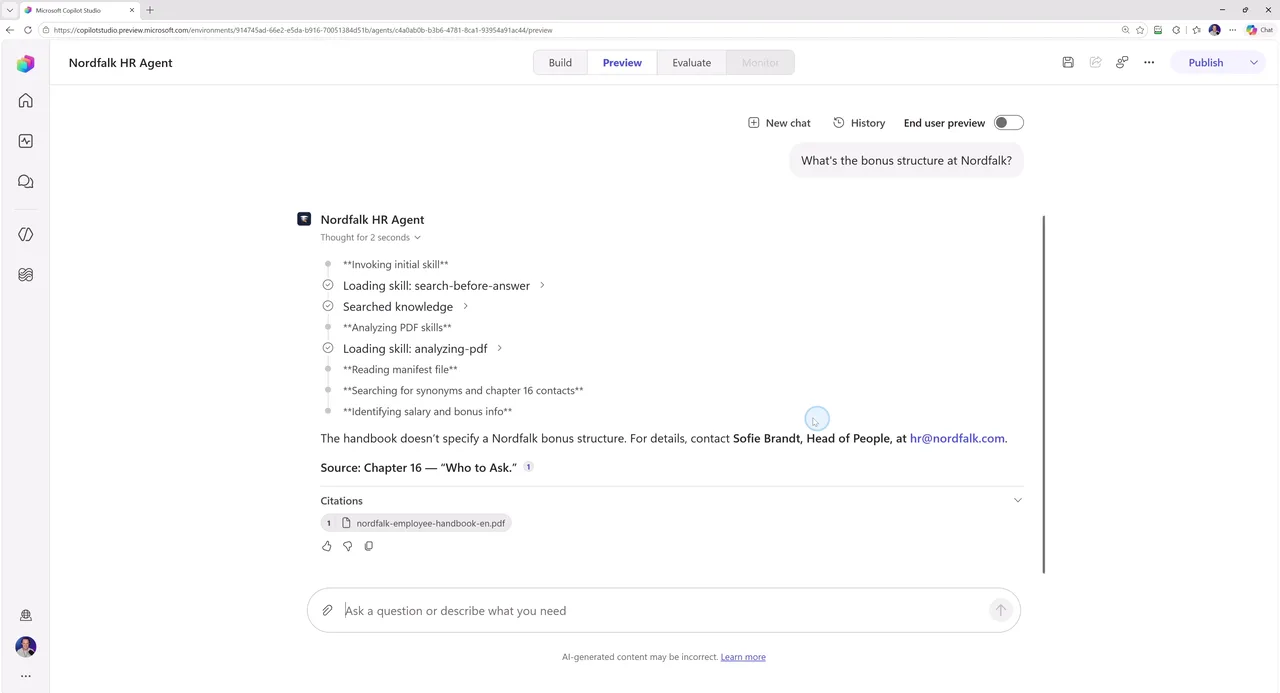
Test 2: Can it say no? "What's the bonus structure at Nordfalk?" That one is a trap: The handbook deliberately does not cover pay. The agent does not invent a bonus policy. It answers that the handbook does not cover it, and points to the right contact from chapter 16. That is "Never guess" and the disabled web search working together: An HR agent that guesses about salary is how you end up in a very awkward meeting.
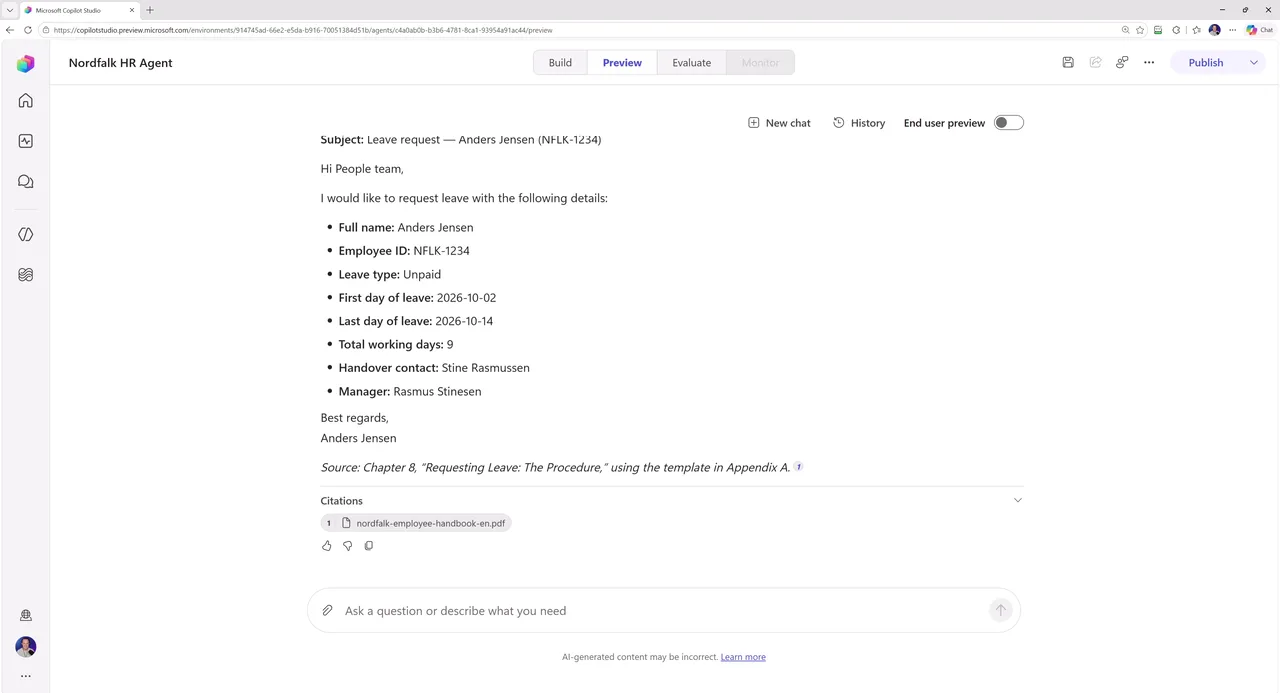
Test 3: Does the skill work? "I want two weeks off in October." The agent starts on the email draft, but stops and asks for the fields it is missing: Employee ID, leave type, exact dates. It does not invent them, exactly as the skill demands. Once the fields are supplied, the finished email is ready: Eight fields, correct recipient, same structure as appendix A in the handbook.
We just turned a handbook chapter into a working assistant. That is the whole idea.
Step 6: Publish to Teams
Click Publish in the top right. Note what we did not build: No dialog trees, no topic triggers. Instructions, knowledge, one skill. That was all of it.
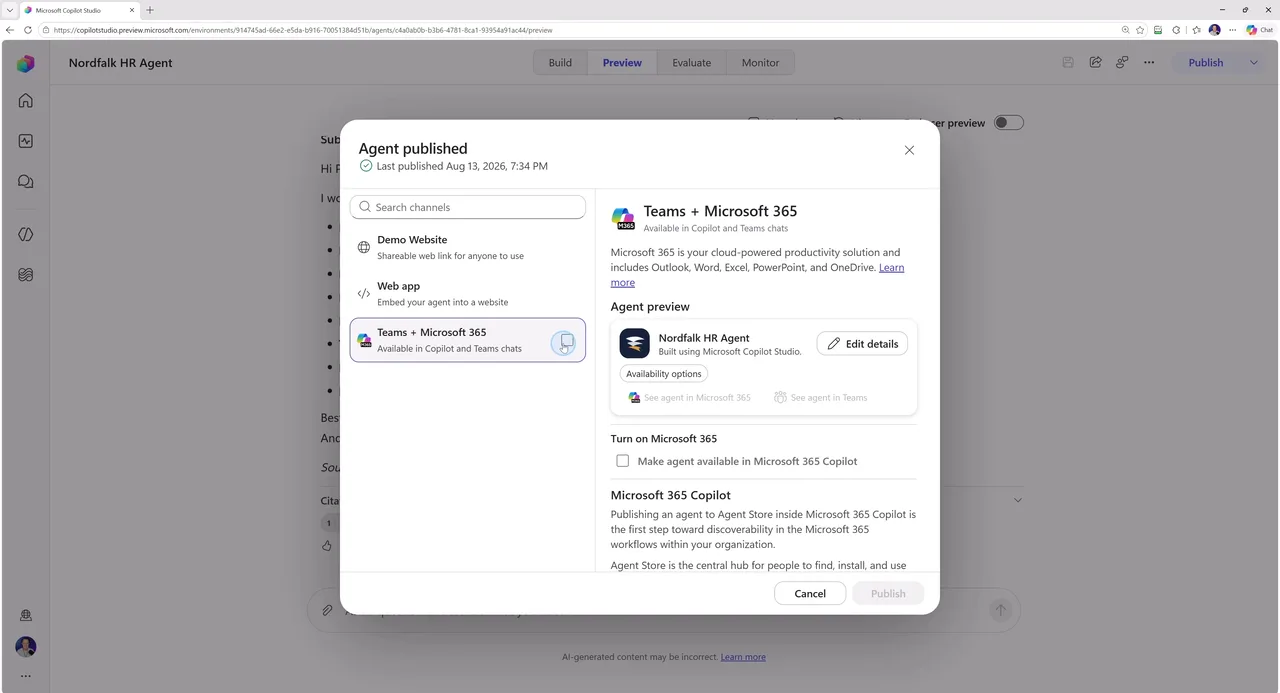
Among the channels we pick Teams + Microsoft 365, because an internal HR agent should live where your colleagues already are. And one piece of advice here: Look at the availability options, and keep the agent to yourself first. Test it in Teams, then share it with the organisation. Publishing to everyone on day one is the fastest way for a typo in your instructions to become the whole company's problem.
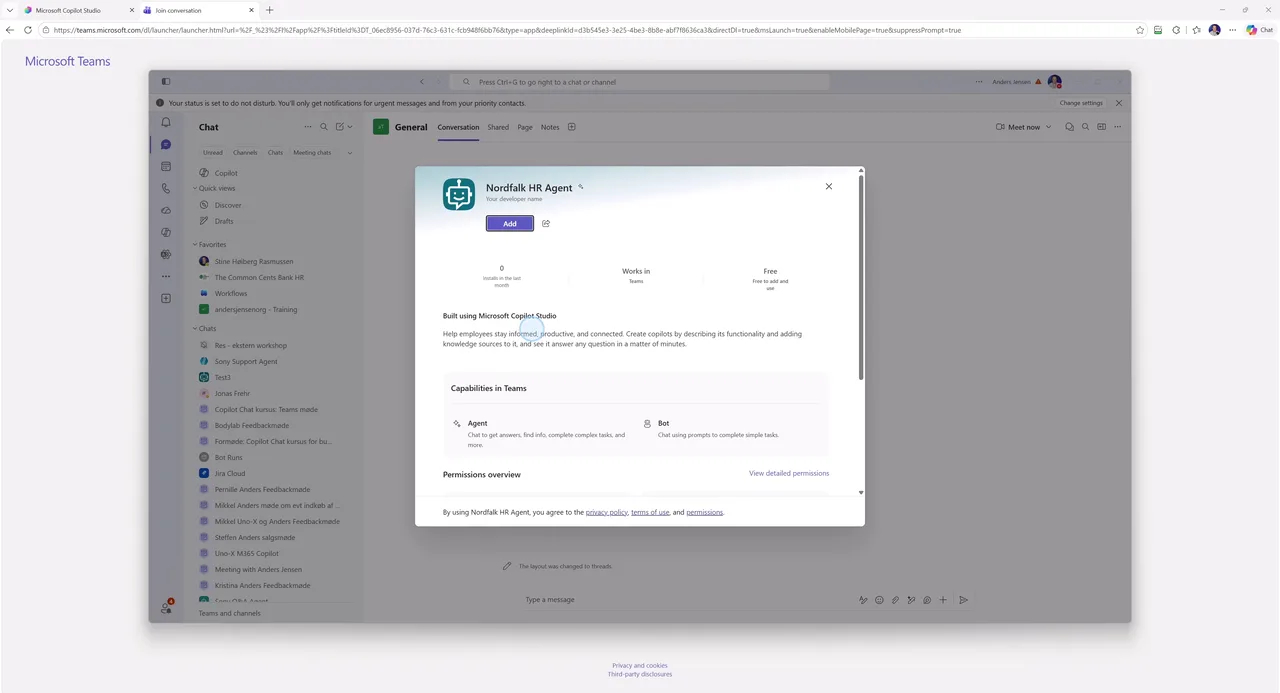
Inside Teams you add the agent and ask it one last control question. Mine was "When do I need a doctor's note?", and the answer came promptly: After five consecutive sick days, chapter 6. Same agent, same knowledge, where people actually work.
My recommendation
The pattern is worth taking with you: Instructions, knowledge, one skill, publish. Start there, not with a moonshot. And build your first agent in a development environment with a small credit allocation, so you can experiment without watching the meter. One real limitation you should know about: At the time of writing you cannot see your consumption in real time while you build, so note your credit number before and after if you want to know what your build cost. The math behind it, and when packs pay off, is in the pricing guide with calculator.
Frequently asked questions
Does it cost credits to build an agent in the new Copilot Studio?
Yes. On the GitHub Copilot harness, billing starts the moment you start building: Every test chat in Preview costs credits, even before the agent is published. Clicking around and configuring manually is free; it is the AI usage that costs.
Do I still need topics?
No. In the new Copilot Studio, topics are replaced by skills: A name, a description and instructions in plain language. The agent plans for itself when to use a skill and how to complete the task.
Why should I turn off Search all websites?
Search all websites is on by default on new agents. It means the agent searches the web when your own sources do not have the answer. For an agent that should answer from your own policy, that is a source of errors: Turn it off, and let the agent say so instead.
Can I change the model later?
Yes. The model is picked in the right-hand panel and can be changed after the agent is created. It is the harness you cannot switch: An agent on the GitHub Copilot harness cannot be converted to standard or vice versa.
This is the third and final part of the series on the new Copilot Studio, but not the last build: Tools, where the agent gets connected to your real systems, will get its own video. It lands on the YouTube channel, the same place as the rest of the series.